Dify1.0.1本地Docker Compose部署+外网代理配置
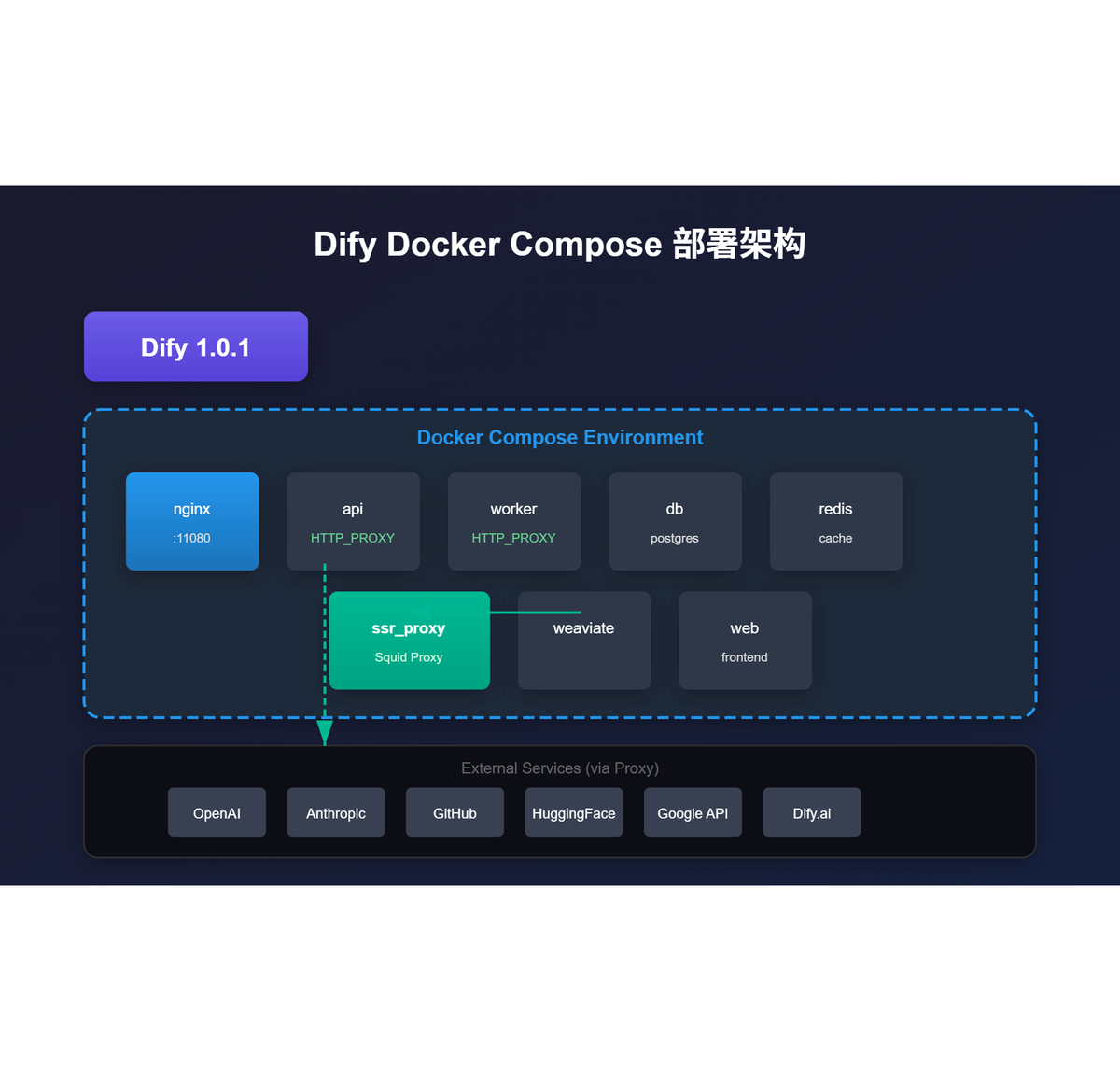
1、参考官方本地部署文档
克隆 Dify 源代码:
git clone https://github.com/langgenius/dify.git --branch 1.0.1
cd dify/docker
cp .env.example .env
修改.env配置端口:
EXPOSE_NGINX_PORT=11080
EXPOSE_NGINX_SSL_PORT=11443
2、配置ssr_proxy访问外网
使用Clash Verge代理(IP: 192.168.0.109, 端口: 7890)。
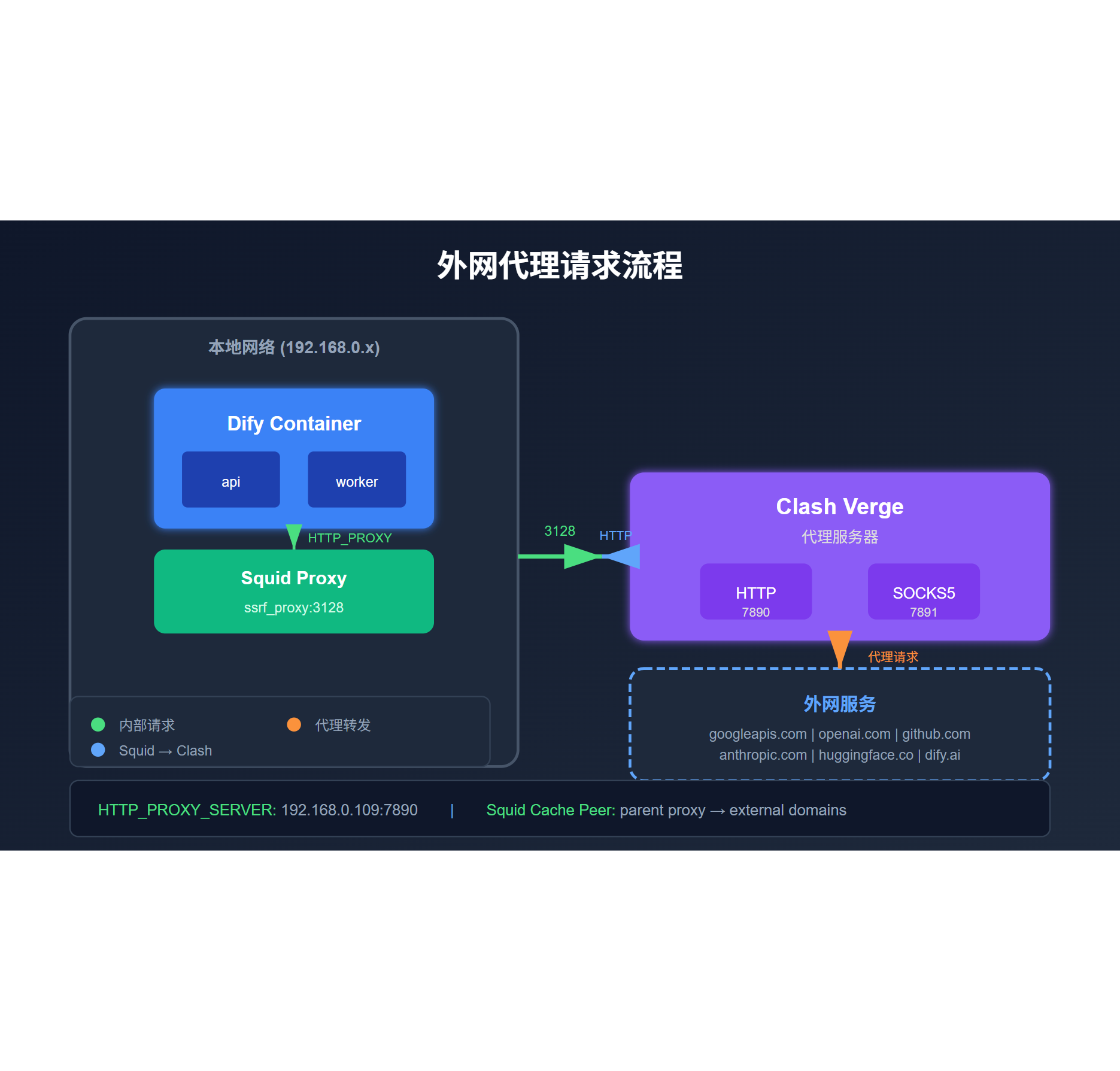
修改docker-compose.yaml的ssr_proxy服务环境变量:
HTTP_PROXY_SERVER_HOST: 192.168.0.109
HTTP_PROXY_SERVER_PORT: 7890
DOMAINS_BY_PROXY: ".googleapis.com .openai.com .anthropic.com .github.com .huggingface.co .dify.ai"
修改api、worker服务环境变量:
HTTP_PROXY: http://ssrf_proxy:3128
HTTPS_PROXY: http://ssrf_proxy:3128
修改ssr_proxy/squid.conf.template:
cache_peer ${HTTP_PROXY_SERVER_HOST} parent ${HTTP_PROXY_SERVER_PORT} 0 no-query default
acl external_domains dstdomain ${DOMAINS_BY_PROXY}
never_direct allow external_domains
3、启动Dify
docker compose up -d
docker compose ps
访问:http://192.168.0.135:11080